Managing your subscription
Everything billing-related lives under Settings → Billing. You can only see this section as an organisation owner, admins and members can use paid features but don't see or change billing.
Upgrading from a trial
If your org is on the 14-day trial (or your trial has expired), the Settings → Billing page shows a Choose a plan block. Each plan card has:
- Plan name, monthly price, one-line description
- What's included (vehicle cap, user cap, feature toggles)
- An Upgrade button that takes you straight to Stripe Checkout
Clicking Upgrade redirects to Stripe. Enter your card, confirm, and Stripe redirects you back to GarageHQ, the plan change takes effect immediately.
Changing, updating, or cancelling an existing subscription
Once you're on a paid plan, the Subscription section shows:
- Current plan (Personal, Garage, Garage+, Enterprise)
- Monthly price
- Status badge (active / past_due / cancelled)
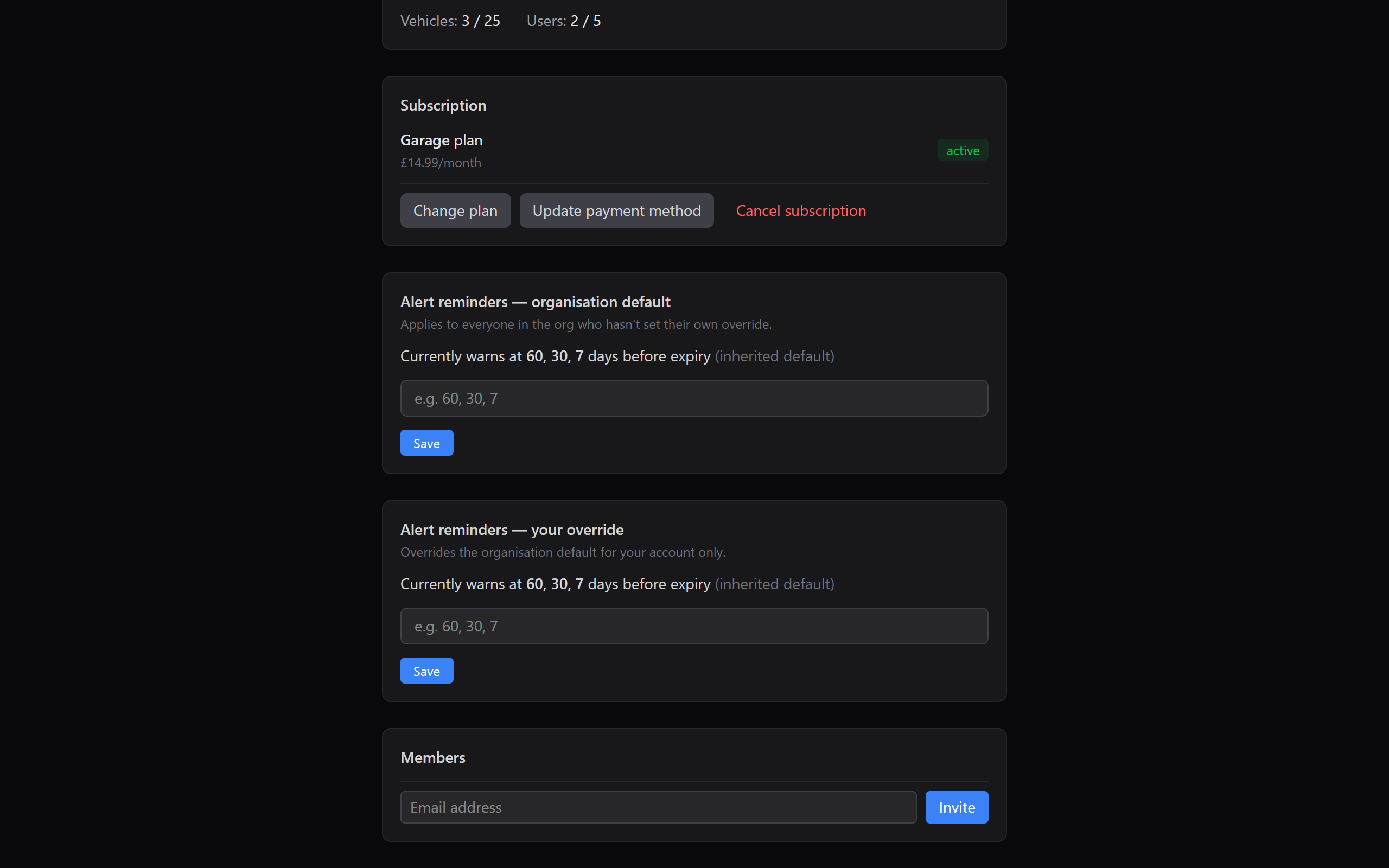
Three buttons below:
- Change plan, opens Stripe's portal where you can upgrade, downgrade, or switch billing cycle. Prorations are handled automatically.
- Update payment method, same Stripe portal, focused on the card-on-file.
- Cancel subscription, same portal; you keep access until the end of the current billing period, then access pauses until you subscribe again. No data is deleted.
Invoices and receipts
Every successful charge sends a receipt email from Stripe to the owner's email address. You can also download past invoices from the Stripe customer portal (reachable via any of the three buttons above).
Plan change side-effects
- Downgrading to a plan with a smaller vehicle or user cap will not delete vehicles or members. Instead, the app becomes read-only for the affected resources until you either (a) upgrade again, or (b) remove the excess yourself. This gives you a grace window to decide what to prune.
- Upgrading takes effect instantly, any locked features unlock on the next page load.
- Cancelling keeps everything intact until the period ends; re-subscribing before the end date continues seamlessly.
What next?
- Inviting team members, use the seats your new plan unlocks.
- Bulk CSV import, available on Garage and above.
- Notification reminders, set an org-wide default for your whole team.