Setting notification reminders
GarageHQ emails you before MOT, tax, insurance, and service dates expire so nothing catches you out. This guide covers how to control when those warnings fire, and how to layer personal, organisation, and per-vehicle preferences when you're on a shared workspace.
Where the settings live
From the top nav click Settings, then open Account. The Alert reminders panel sits near the bottom of that page (or jump straight to /settings/account).
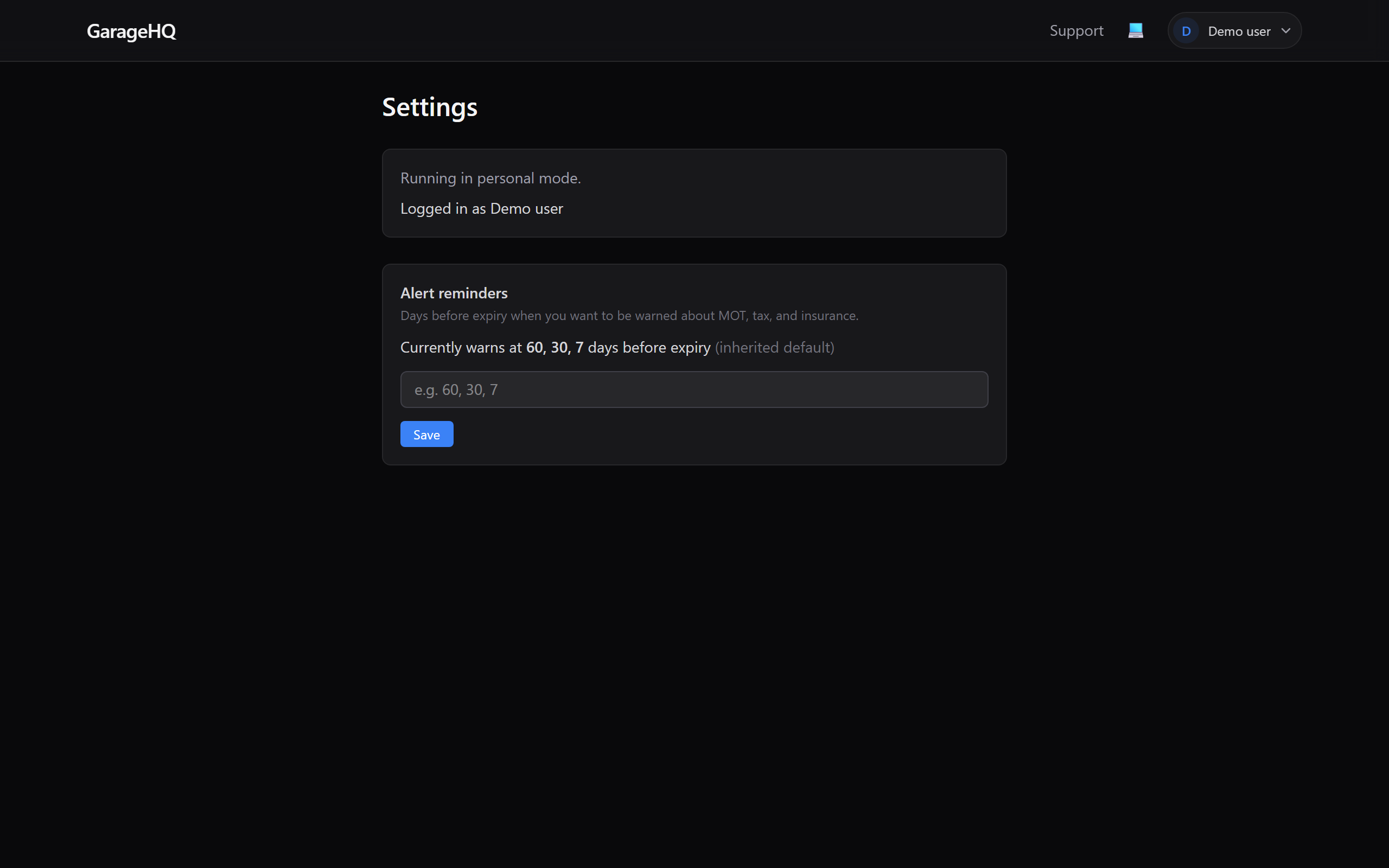
What you see depends on whether you're on a personal or organisation workspace:
- Personal workspace: one panel, "Alert reminders", controls everything.
- Organisation member: two panels, the org default, and your personal override. Only owners and admins can edit the org default.
Changing the reminder windows
Type the number of days before expiry you want to be warned, separated by commas or spaces.
Example: 60, 30, 7 triggers three emails per expiry, 60 days out, 30 days out, and 7 days out.
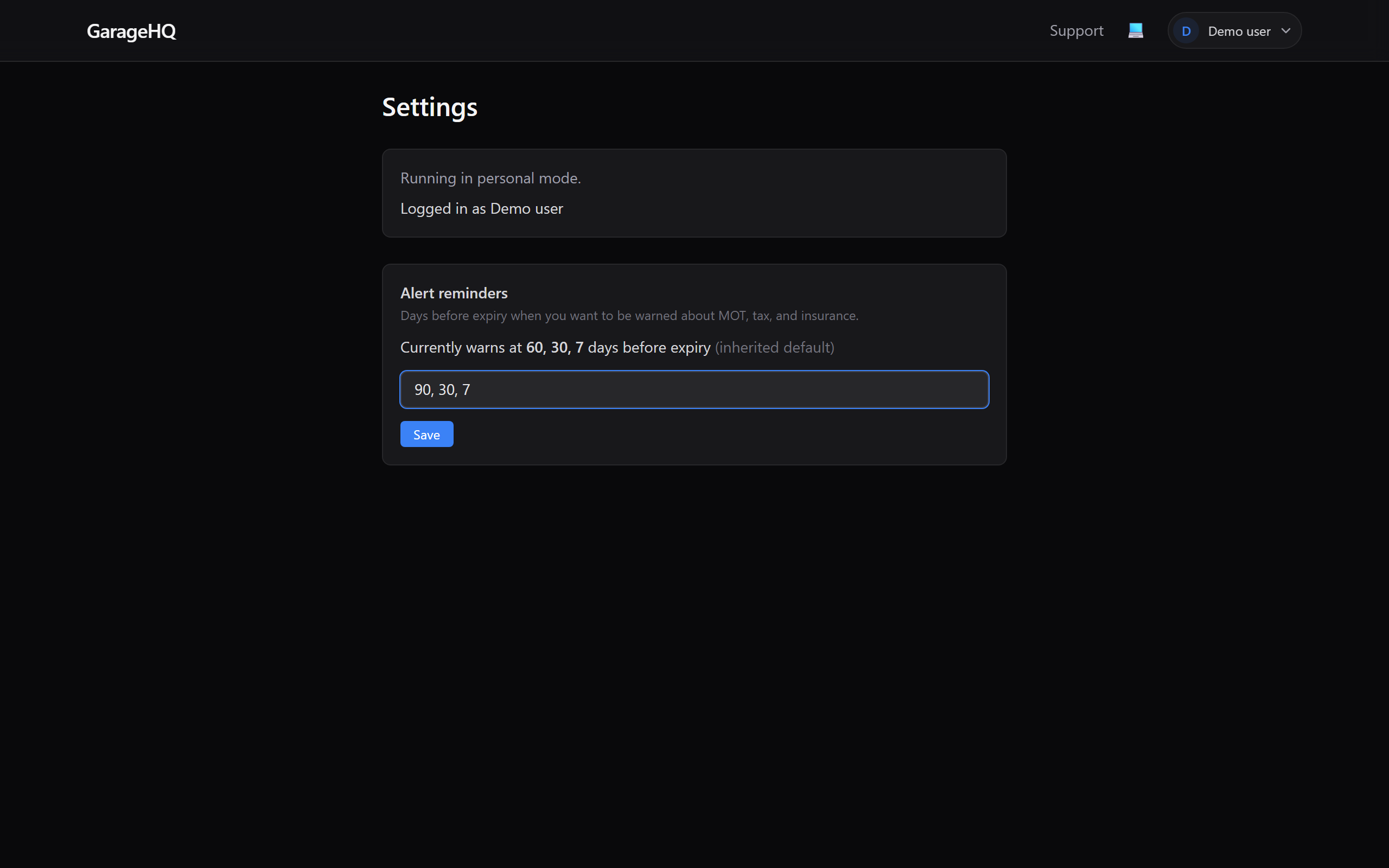
Click Save. The panel updates instantly and shows "Currently warns at X, Y, Z days before expiry" above the input, confirming the new windows.
Using the default
If you previously customised the windows and want to go back to the inherited default, click Use default. The input clears and the panel shows the parent value with "(inherited default)" next to it.
Organisation vs. personal mode
On a personal workspace, there's only one panel, whatever you type applies to every vehicle you own.
On an organisation workspace, you'll see two panels:
- Organisation default, only editable by owners and admins. Sets the baseline for everyone in the workspace who doesn't set their own override.
- Your override, always editable. Overrides the organisation default for your account only.
If you're an owner/admin, changing the organisation default takes effect the next time the reminder scheduler runs (nightly), unless individual users have set their own overrides.
How the reminders actually get sent
GarageHQ's scheduler runs nightly. Each morning:
- It scans every vehicle for MOT, tax, insurance, and service dates. Vehicles that have never had an MOT also get checked against the date 3 years from first registration (the UK first-MOT rule).
- It looks up the reminder windows (following the user → org → system chain above).
- If any date falls on a window boundary (e.g. exactly 30 days from today), it queues an email.
- Emails go out to the vehicle's owner.
What next?
- Adding your first vehicle, without a vehicle there's nothing to remind you about.
- Adding an insurer, insurance expiry reminders need an insurer linked to the vehicle.
- Adding a garage, service reminders link to the garage so you know who to book with.