Editing vehicle details
Everything about a vehicle is editable after you've added it, model, nickname, insurance policy, notes, the assigned garage and insurer, and the per-vehicle notification preferences. This guide walks through where each lives.
1. Open the vehicle's detail page
From the dashboard, click the vehicle card. You land on the detail page with the vehicle's current status (MOT, tax, insurance countdowns), a photo if you've uploaded one, and an action bar below the title:
- Run history check, run a paid DVSA + finance + write-off check.
- Sell vehicle (or View seller pack / Review transfer depending on what's already in flight), the sell flow entry point. Hidden if you're on the Personal plan.
- Timeline, jump to the chronological timeline of everything that's happened to the vehicle.
- More, dropdown containing the secondary actions: Edit (opens the edit form) and Refresh from DVLA (re-fetches make, model, MOT, tax, and colour from the DVLA).
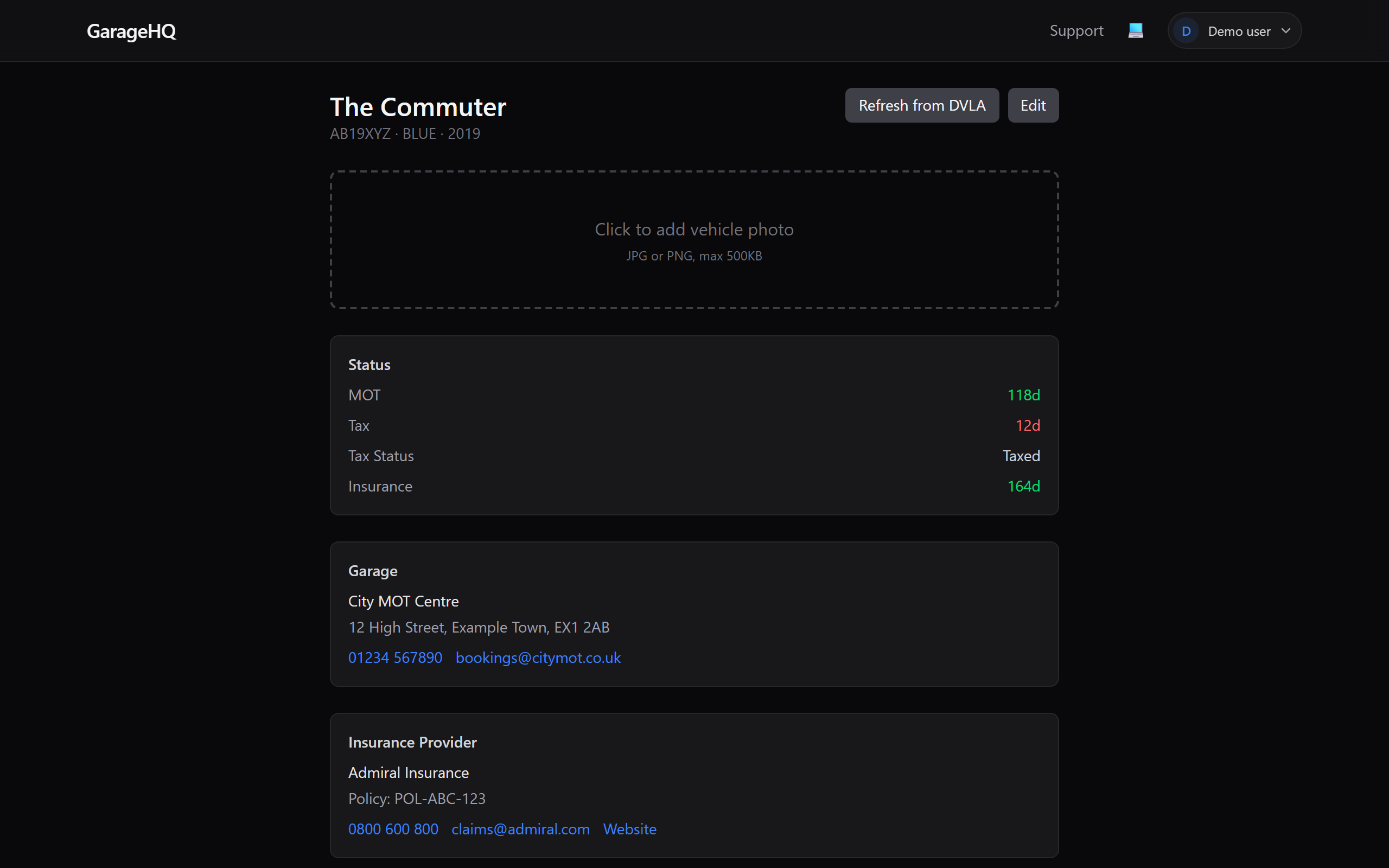
2. Click Edit
Clicking Edit in the More dropdown jumps to the Settings tab and opens the edit panel below it. The panel covers the fields you're most likely to change:
- Model, manufacturer-reported or your own version (e.g. "Focus ST")
- Nickname, how the vehicle shows on your dashboard
- Insurance expiry + Policy number, so renewal reminders know when to fire
- Notes, free-form
- Garage, picks from your saved garages
- Insurance provider, picks from your saved insurers
- Purchase price + Sale price (£, optional), see Logging purchase and sale price for details.
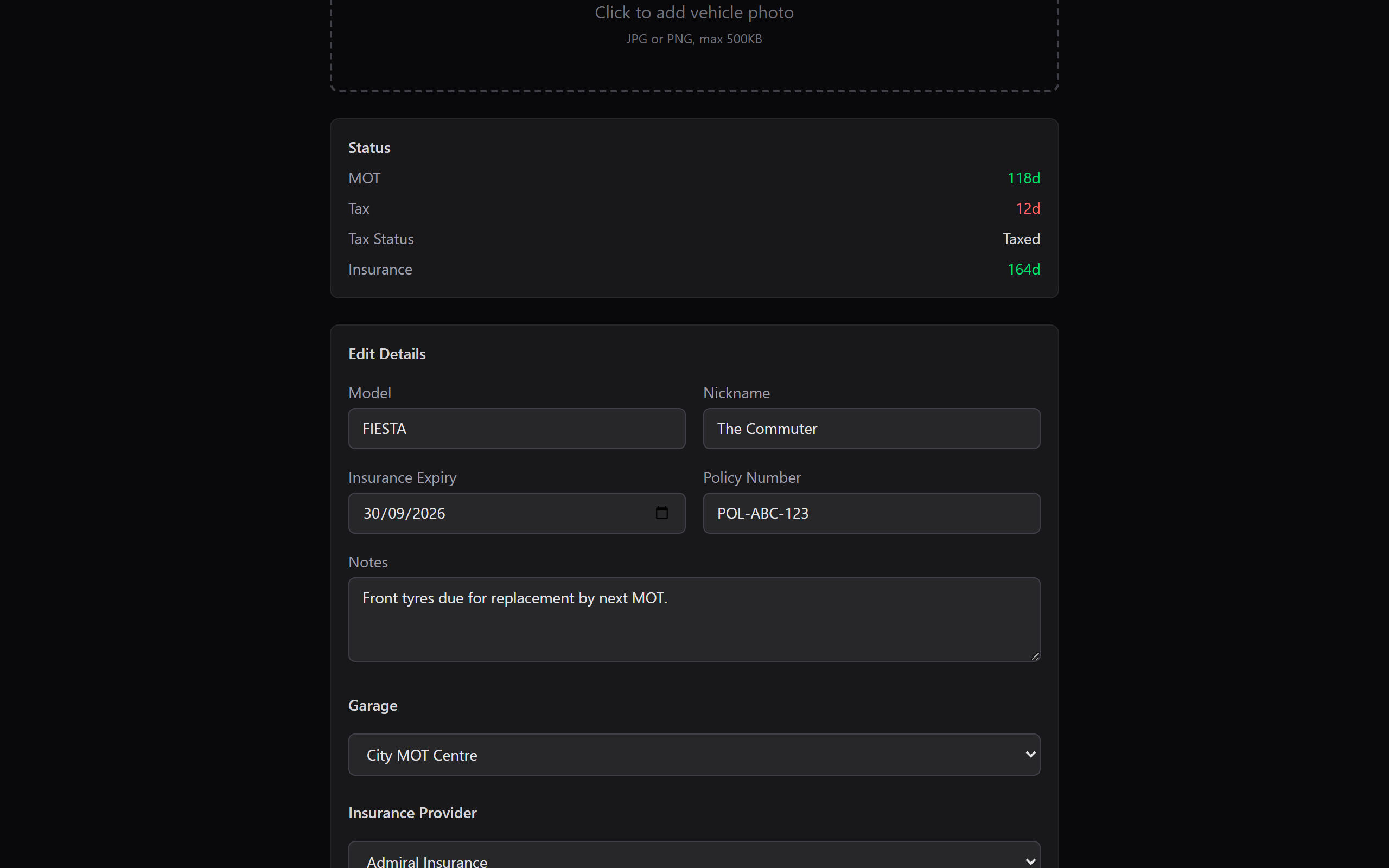
3. Save Changes
Clicking Save Changes at the bottom commits everything in one request. The edit form collapses back down and the detail page re-renders with the new values.
Notification preferences (per vehicle)
On the Settings tab there's a collapsible Notification Preferences section. Click Show to expand it. This is where you set:
- Service interval (miles / months), how often this vehicle wants a service. Whichever limit is reached first triggers a reminder.
- Mileage warning threshold, how far out from the next service to warn you (by miles).
- Reminders on/off, four toggles (MOT, Tax, Insurance, Service) to silence any category for this vehicle only.
Global reminder windows (60, 30, 7 days etc.) still come from notification settings, the per-vehicle toggles just decide whether the reminders apply at all.
What next?
- Logging service history, record what's been done and when.
- Uploading a photo, make the dashboard prettier.
- Booking appointments, schedule your next service from here.