Adding and managing insurers
Adding your insurance providers to GarageHQ gives you two things: a single place to keep contact details, and a connection to link each vehicle to the right provider so insurance renewal reminders know who's responsible.
1. Open the Insurers page
From the top nav click Settings, then under Directories click Insurers. Or navigate directly to /insurers.
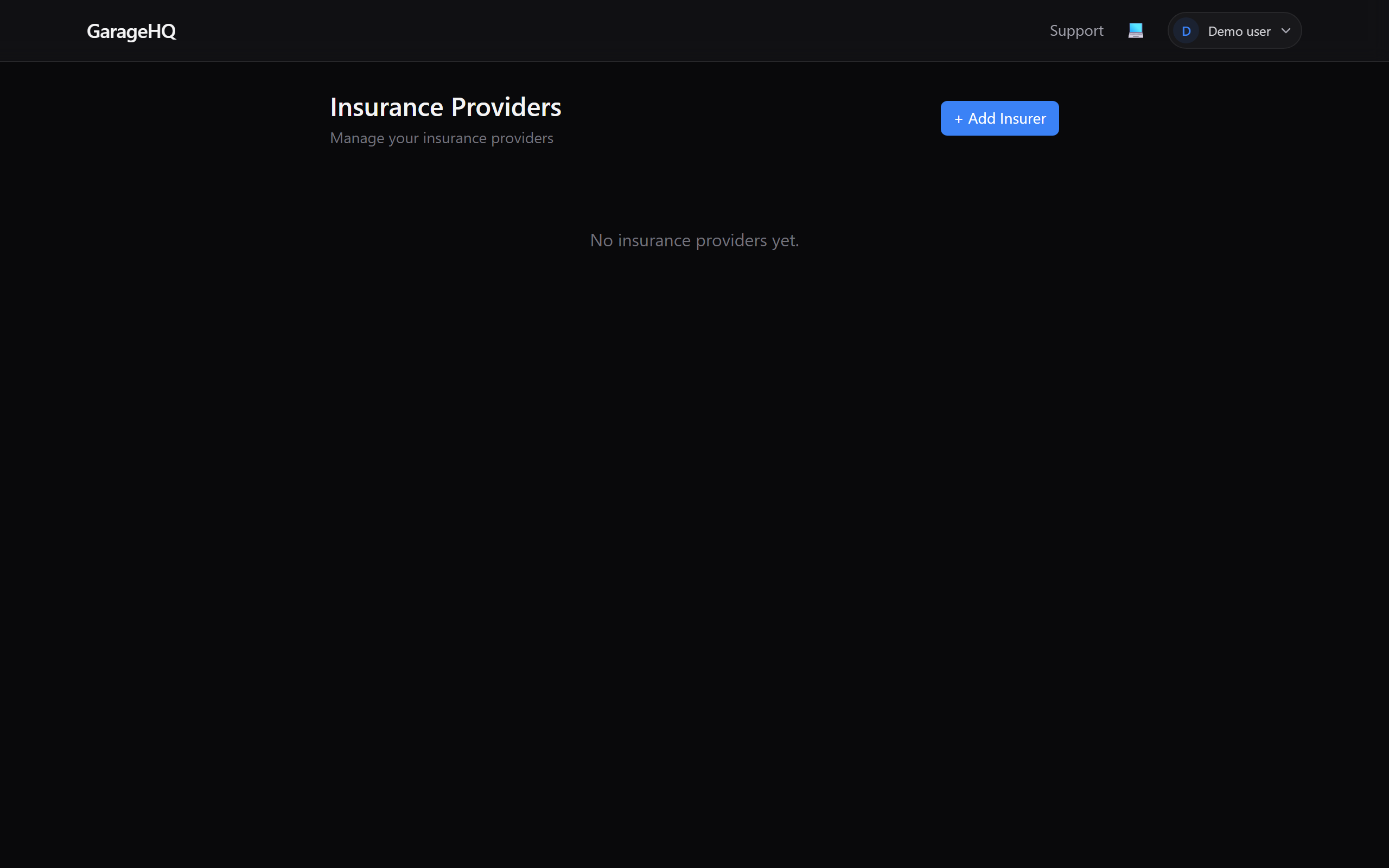
2. Click + Add Insurer
The button sits in the top-right of the page. Clicking it expands a form in place, no modal, no page navigation.
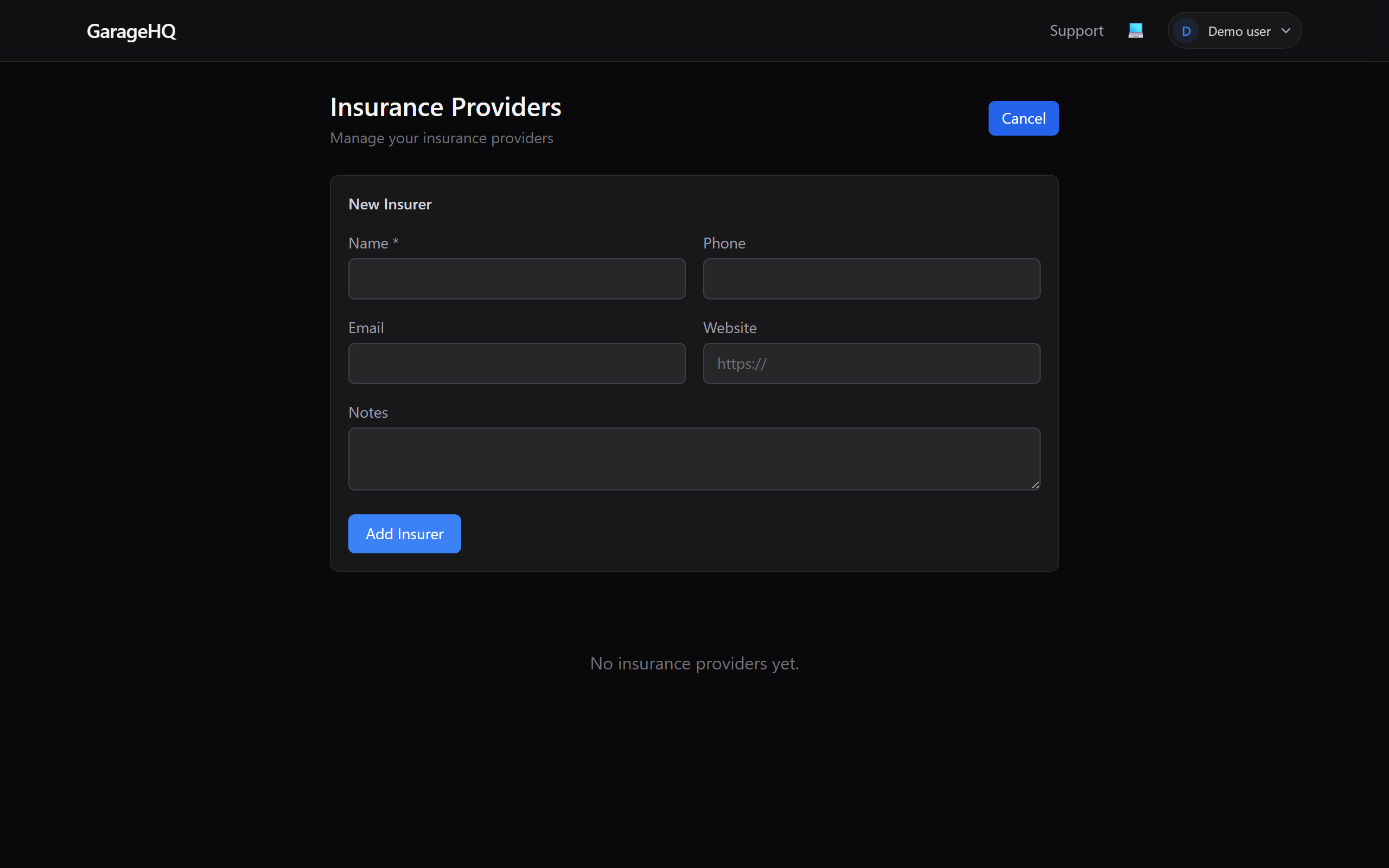
3. Fill in the details
Only Name is required. Everything else is optional but helps when you need to contact them in an emergency.
- Name, the insurer's trading name (e.g.
Admiral,Direct Line,Aviva). - Phone, tap the number on mobile to call directly from the listing.
- Email, for policy enquiries or claims correspondence.
- Website, link to their customer portal.
- Notes, policy numbers, broker contact, renewal quirks, anything you want to remember.
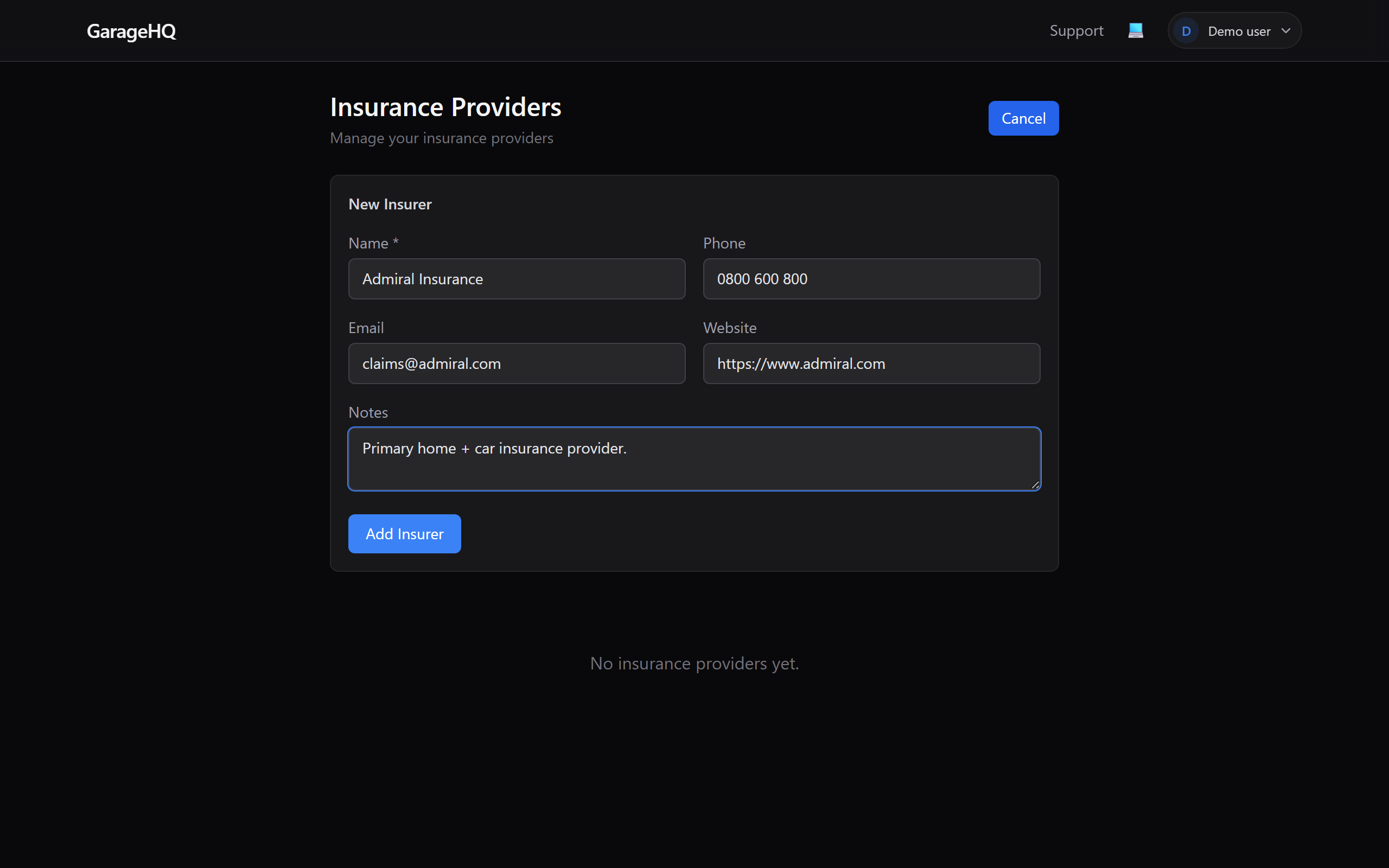
4. Save it
Click Add Insurer at the bottom of the form. The page updates in place, no reload, and the new insurer appears in the list with clickable phone, email, and website links.
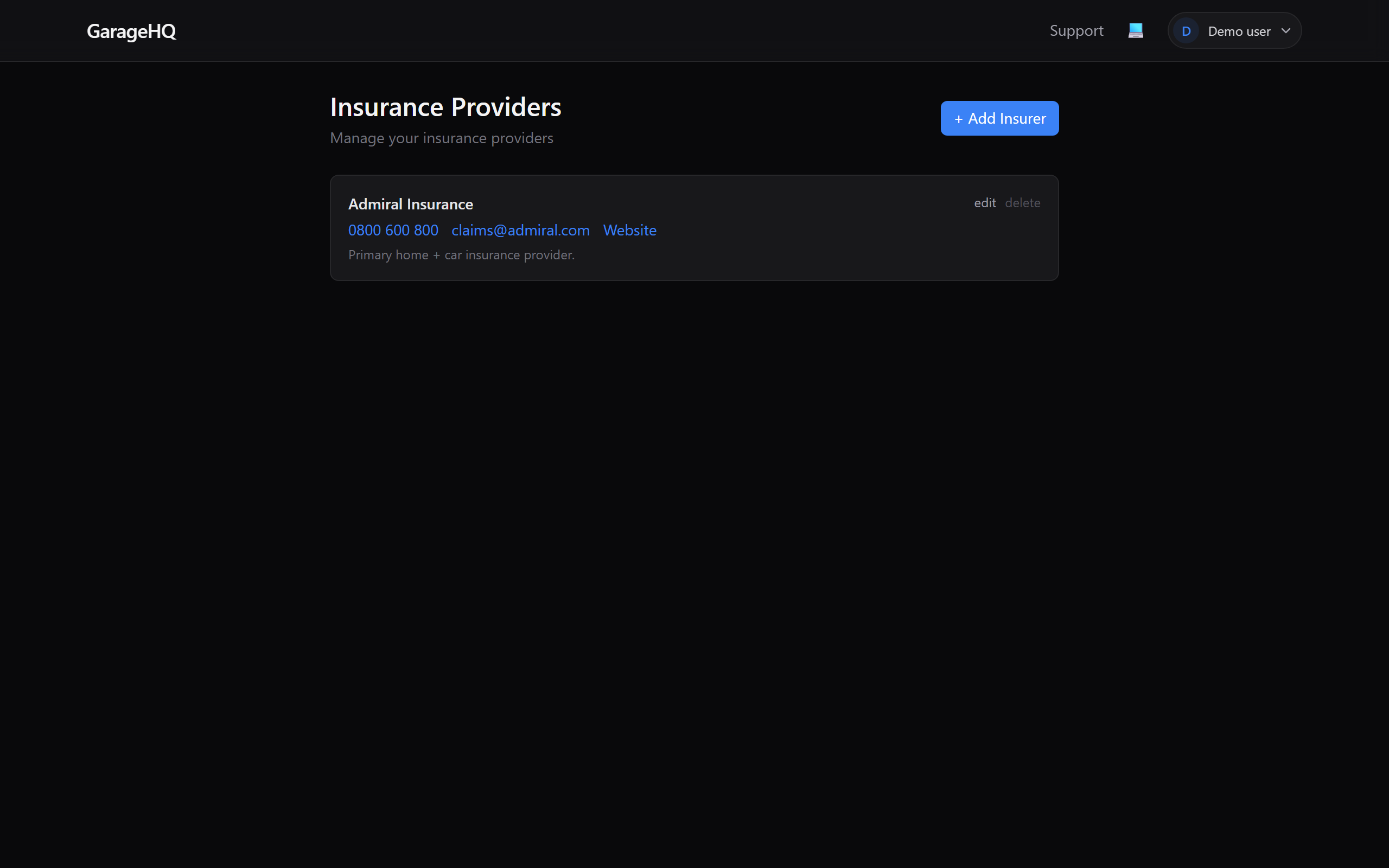
Editing or deleting an insurer
Each entry in the list has small edit and delete links in the top-right corner.
- edit, opens the same form pre-filled with existing values. Change what you need and click Update.
- delete, asks for confirmation. If the insurer is linked to any vehicles, those links are cleared but the vehicles themselves stay.
What next?
- Adding a garage, the other half of your contacts list.
- Editing vehicle details (guide coming soon), link a vehicle to the insurer you just added.
- Setting notification reminders (guide coming soon), control when insurance expiry alerts fire.